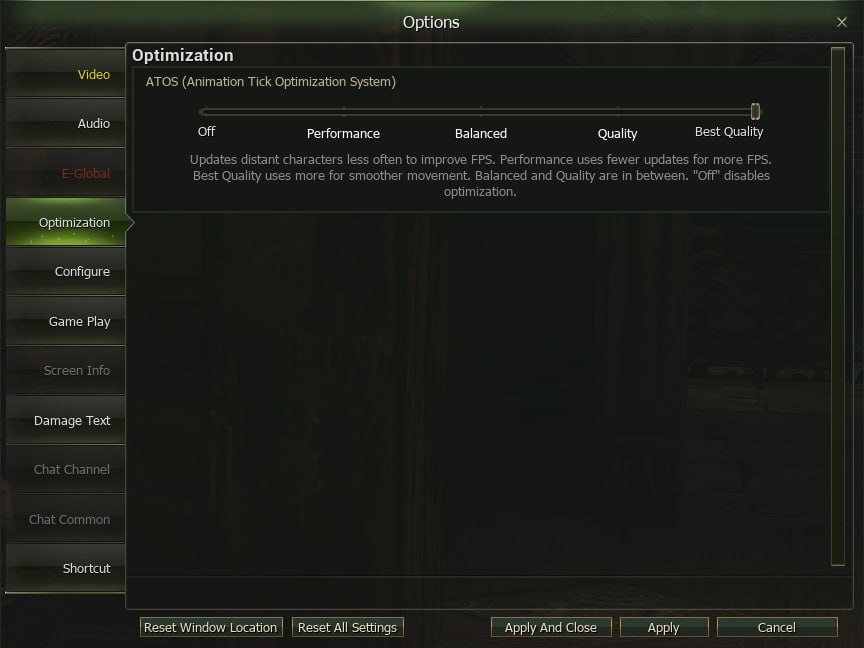
Today’s epic battles are a great opportunity to test the new Character Optimization setting.
It should be especially noticeable in situations where the client is under the heaviest load — large-scale PvP, sieges, and areas with many characters on screen.
It works quite simply:
⚙️ The farther a character is from you, the fewer resources the client uses to render them.
Depending on the selected mode, animations and VFX may update less frequently, equipment, weapons, materials, and other details may be simplified, while nearby characters retain higher visual quality.
You can choose an optimization level from Best Qualityto Performanceand find the best balance between image quality and FPS for your PC.
‼️ Please note! The optimization level should be selected specifically for your PC configuration. On very weak systems, the effect may be minimal or not noticeable at all. On mid-range systems, optimization will more often help improve FPS and overall stability. On high-end PCs, however, overly aggressive optimization may provide no additional benefit or may even have the opposite effect.
We recommend trying several options and choosing the one that provides the most stable performance on your system.
We also worked separately on VFX performance. Heavy large-scale effects were optimized, including those used by Overlords and healers, where many abilities triggering simultaneously had a particularly noticeable impact during large fights.
🥰 The update has also reduced some of the lag and freezes in locations that were observed over the past few weeks.